One-line summary
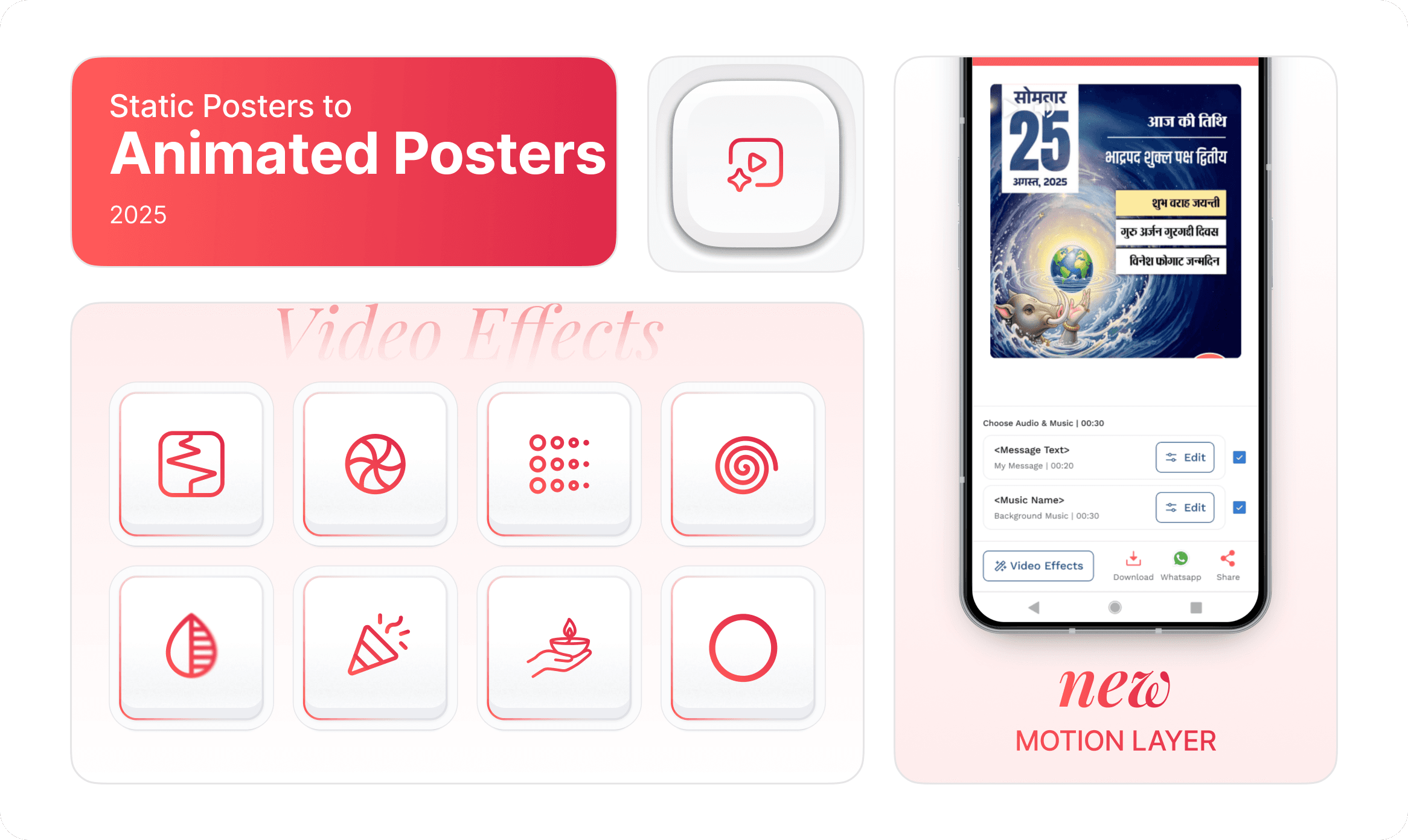
A shift from static poster creation to lightweight motion effects, designed to increase engagement and shareability without adding creation friction.
Role & Responsibility
Product Designer (Motion Effects, UX flows, performance constraints, collaboration with engineering)
Timeline
Year
Team
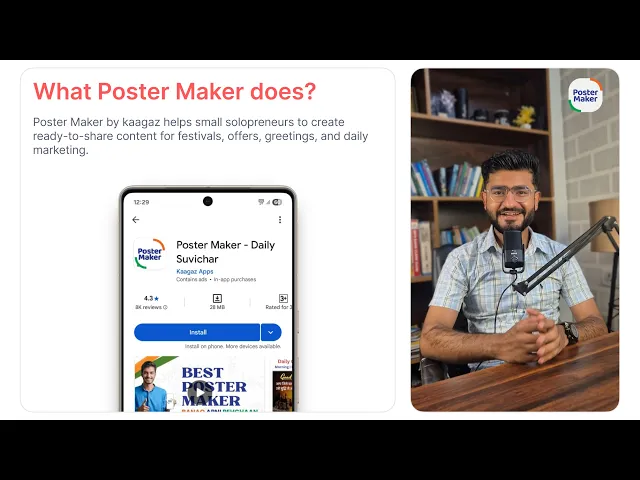
Context (About Poster Maker):
The Core Problem:
Poster Maker was evolving from a poster-only app into a content-first app.
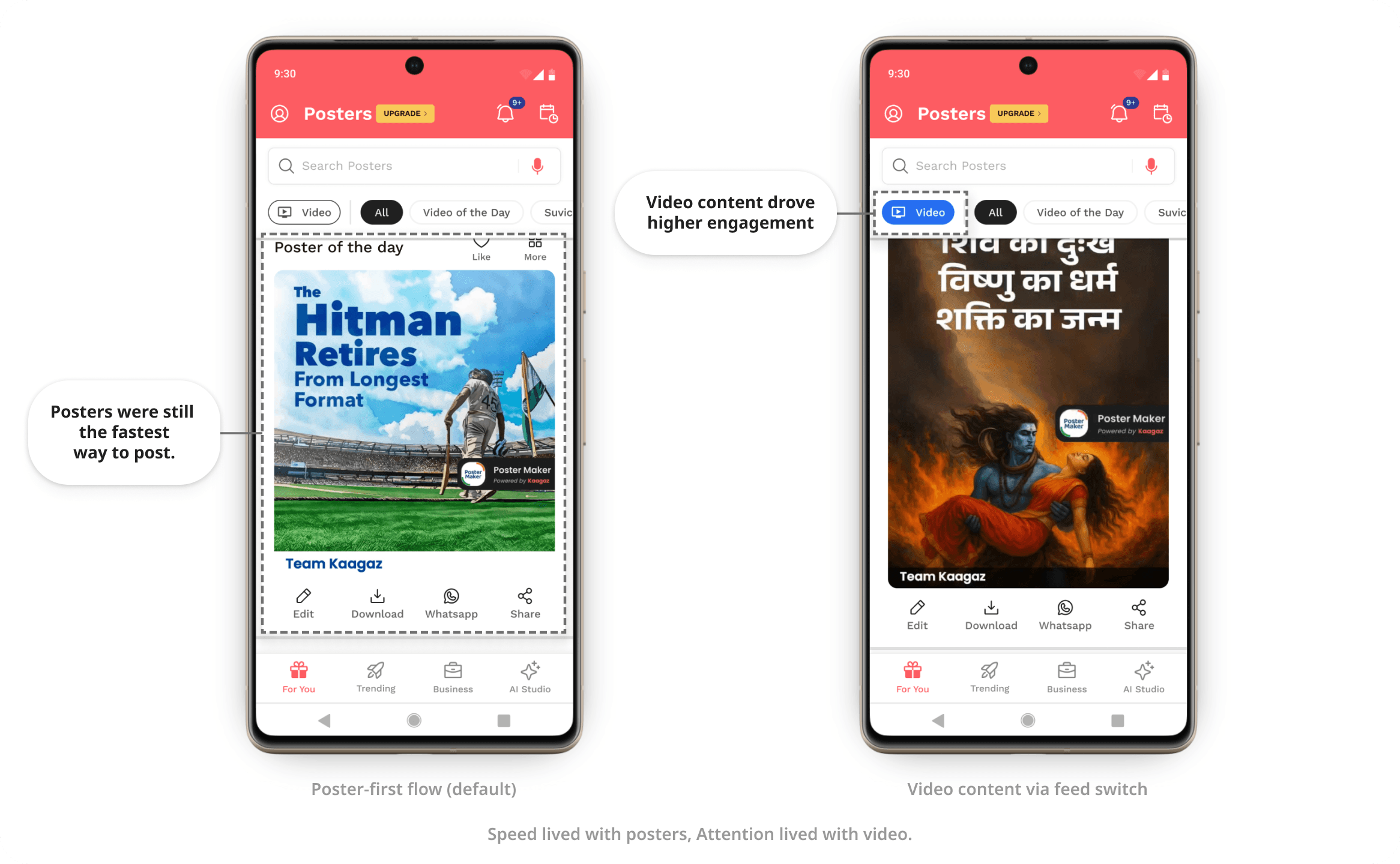
According to data : video content consistently drove higher engagement and retention than static visuals
But this created two critical risks:
We couldn’t scale video creation fast enough to meet the growing diversity of user needs and categories.
Going fully video-first would slowly devalue static posters, which were still the fastest and most trusted creation format in the app.
Staying static meant falling behind.
Going fully video meant breaking speed, simplicity, and existing habits.
The challenge wasn’t choosing between posters or video
It was finding a middle path that allowed both to coexist and grow.
How the problem emerged?
Users increasingly paused longer on video content
Video posters had higher saves and reshares
Static posters were still the fastest path to daily posting
Requests for more video categories grew faster than delivery capacity
Demand for video was growing faster than we could responsibly build it - both for users and the product
Key Insights
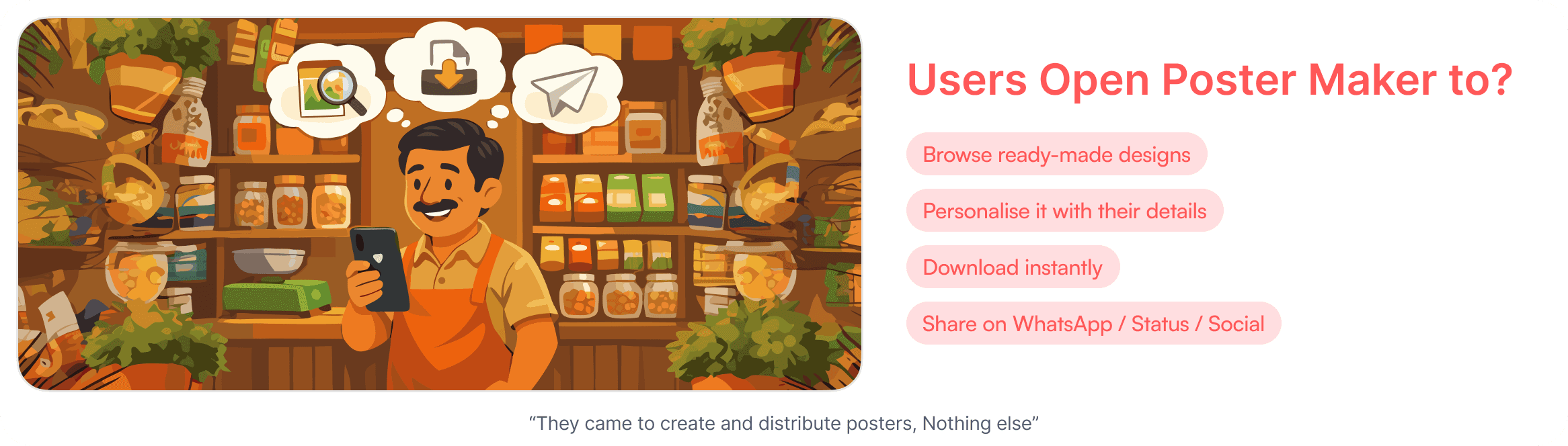
Most Poster Maker users are small business owners.
They’re busy running their shops, handling customers, and managing daily operations.
Hiring a designer or video editor for regular promotions is expensive.
Learning video creation tools is time-consuming and often unrealistic for them.
What they needed wasn’t “video creation”
They needed:
Content that looks dynamic
That grabs attention on social platforms
Without extra learning, setup, or production effort
They didn’t want to make videos.
They wanted video-like impact : motion, freshness, and visibility ; with the same speed and simplicity as static posters.
Video wasn’t the goal, Relevance without complexity was.
The Tension We Had to Solve
As Poster Maker evolved into a content-first app, we faced clear tensions:
Users wanted video content because it performed better on social platforms.
The product was built for speed, simplicity, and repeat daily usage.
Fully shifting to video meant:
Higher learning cost for users
Slower creation flows
Breaking the habit of “open → pick → share”
Staying only with static posters meant:
Falling behind content trends
Lower long-term engagement
Reduced visibility on social feeds
This wasn’t a format problem. It was a trade-off between speed and richness.
Breaking motion into smaller problems
Video was inevitable, but shipping it responsibly required breaking “motion” into smaller, testable steps
Early signals showed three clear risks:
Cognitive load would increase
Learning curve would rise
The core habit could break
Instead of asking users to suddenly
“Add motion to your static posters”
we stepped back and reframed the problem.
What’s the smallest step toward video that users will accept instantly without changing how they already work?
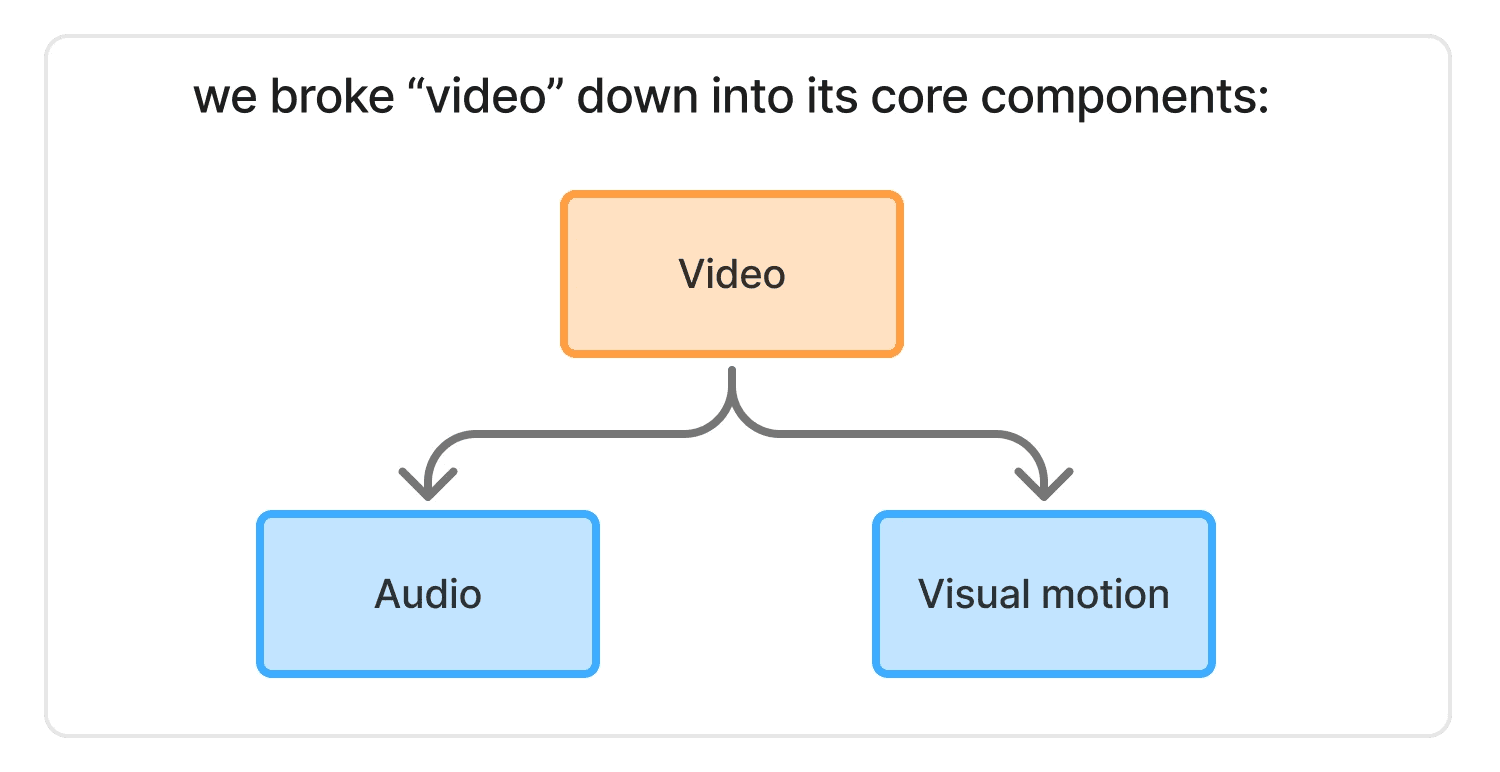
Not all motion needed to arrive at once.
This led to a deliberate decision: Start with the least disruptive layer first
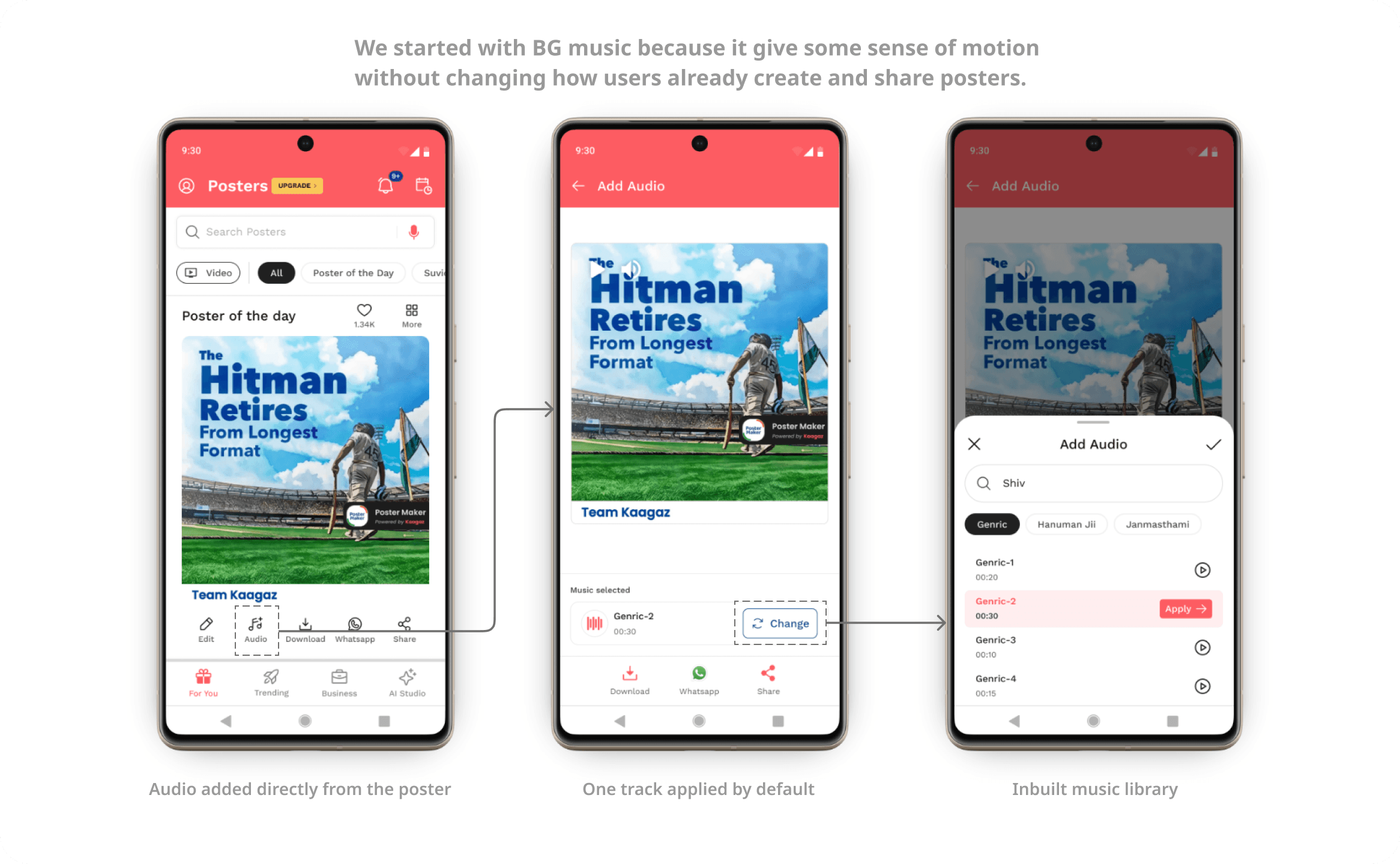
Phase 1: Music as the MVP for motion
Music introduced a sense of movement without asking users to learn anything new.
No new creation flow
No extra decisions
Posters stayed posters
This phase helped us validate:
Whether users responded to richer content
If engagement increased without slowing creation
Whether motion-adjacent features fit daily usage
Music acted as a low-risk bridge between static posters and full video.
Phase 2: Video effects as the next step
Once we had confidence in user behavior, we introduced video effects not as video creation tools, but as an extension of posters.
Effects layered on existing designs
No timelines or complex editing
Speed and familiarity preserved
We didn’t replace posters with videos.
We let posters evolve.
Why this approach mattered?
This phased rollout allowed us to:
Move toward a content-first future responsibly
Reduce cognitive load at every step
Keep static posters relevant and widely used
Scale video capabilities without breaking existing habits
Constraints That Shaped the Solution
Before deciding what to build, we had to be clear about what we couldn’t afford to break.
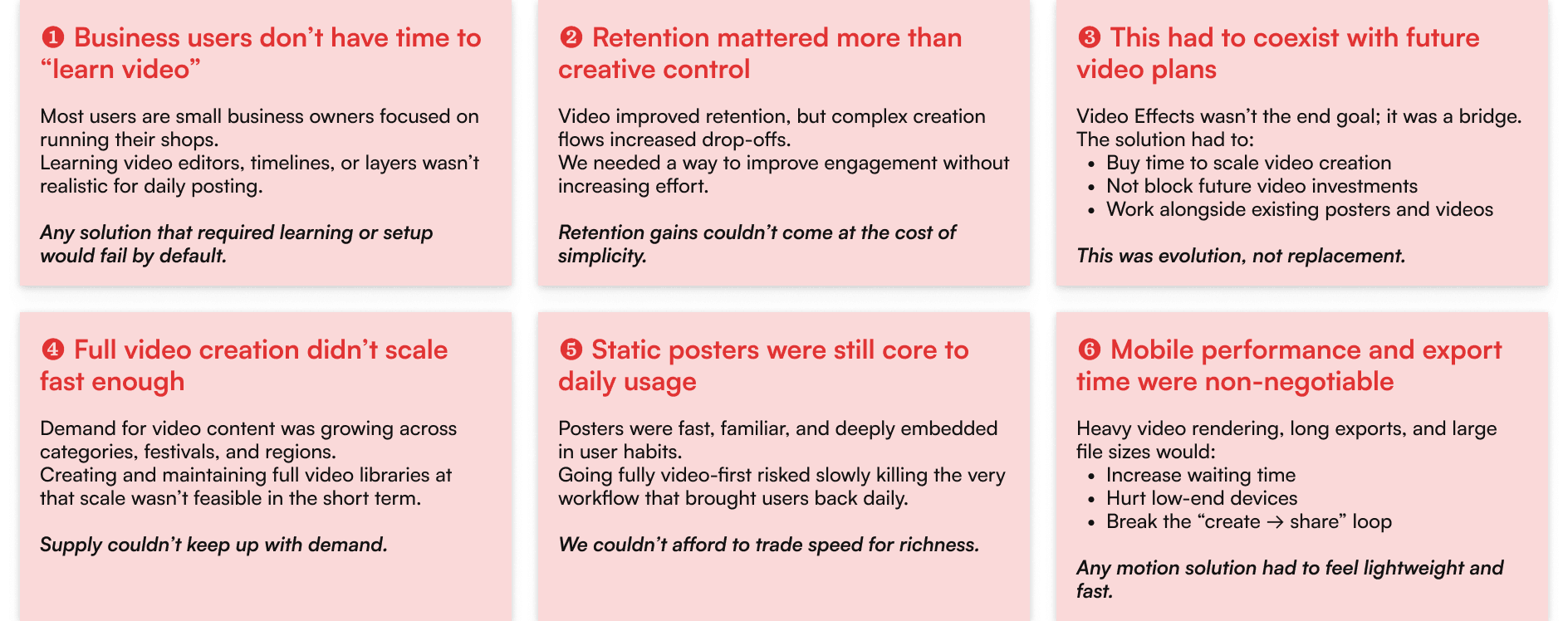
Phase 1: Introducing Audio Without Changing the Poster Flow
Our goal wasn’t to “add a feature”. It was to add motion without changing behavior.
Users could:
Start with the same static poster
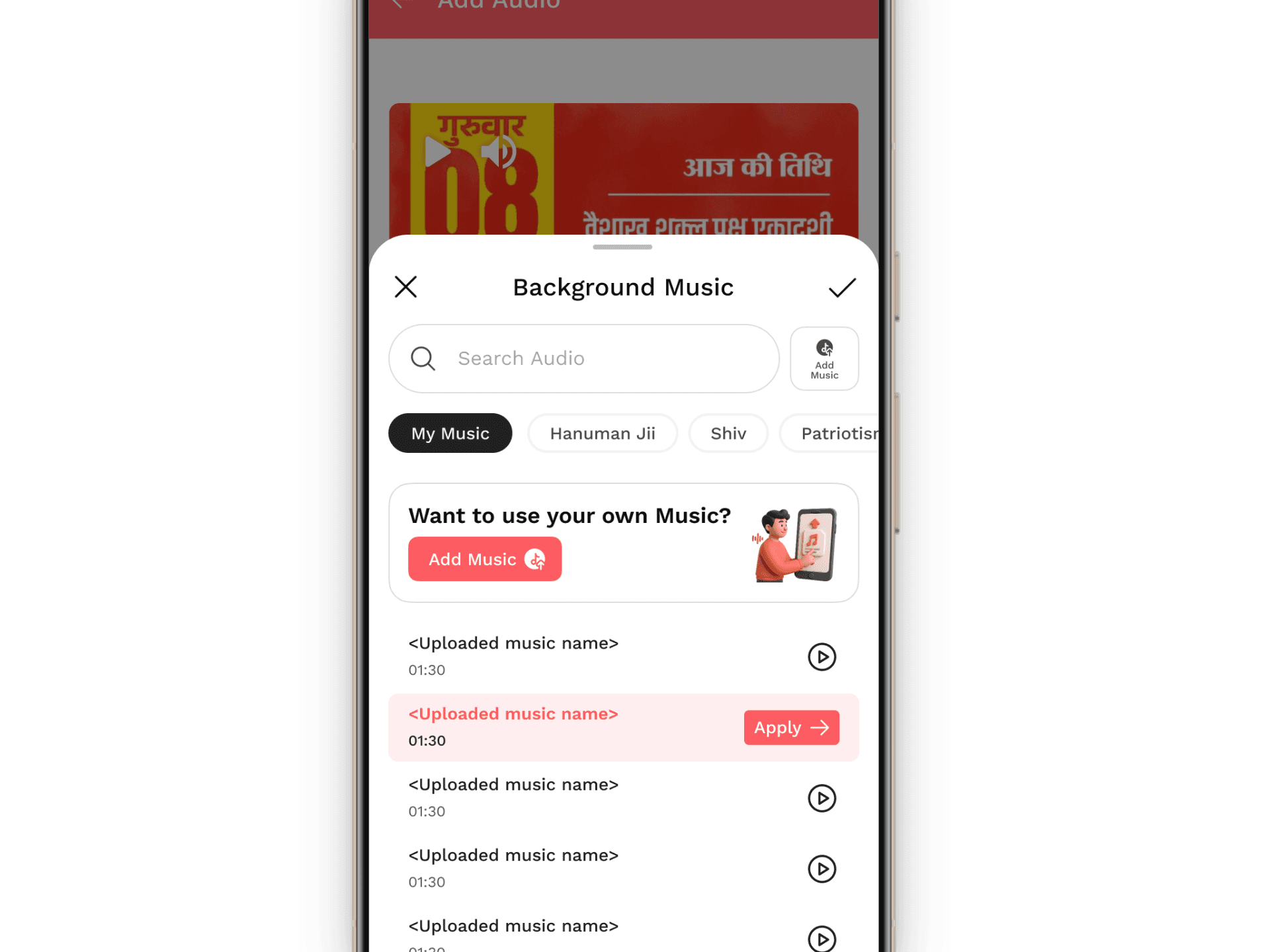
Add background music
Export and share exactly like before
No new tools to learn. No new workflows to understand.
Why we split audio into two parts?
Early feedback showed something important:
Small business owners didn’t just want engaging content. They wanted to say something.
That led to a second version.
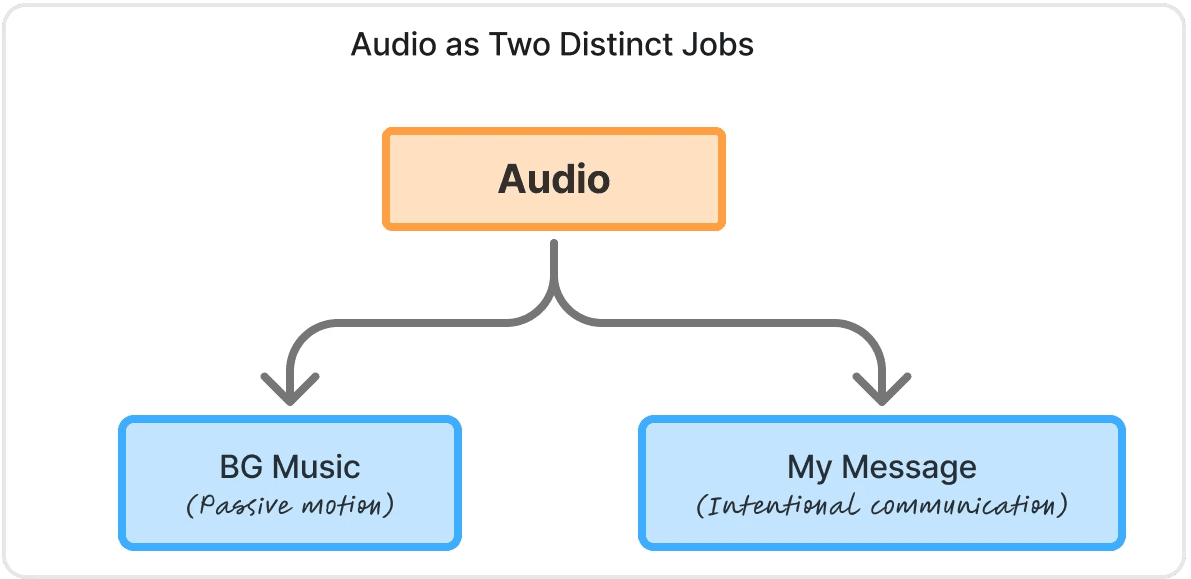
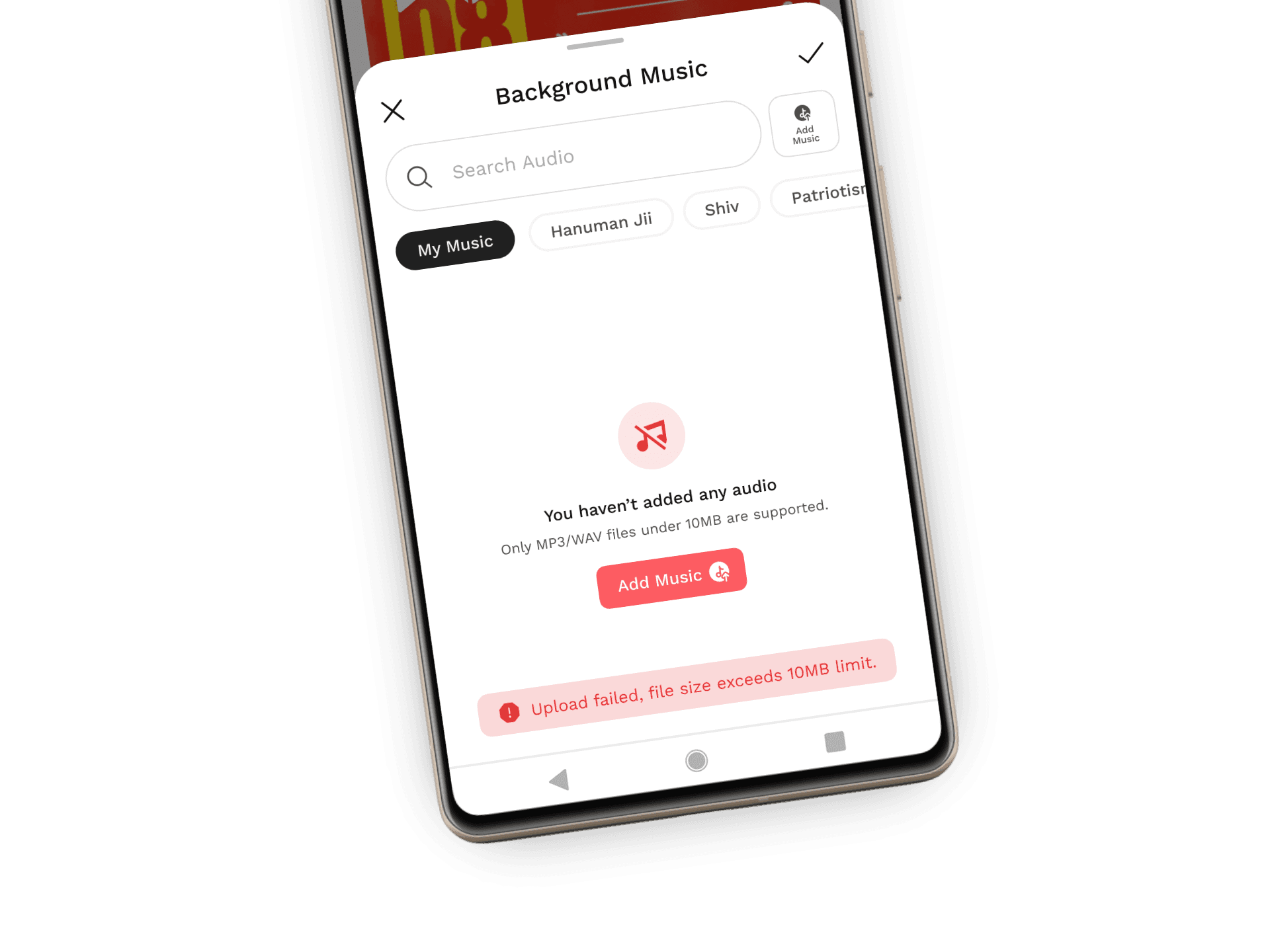
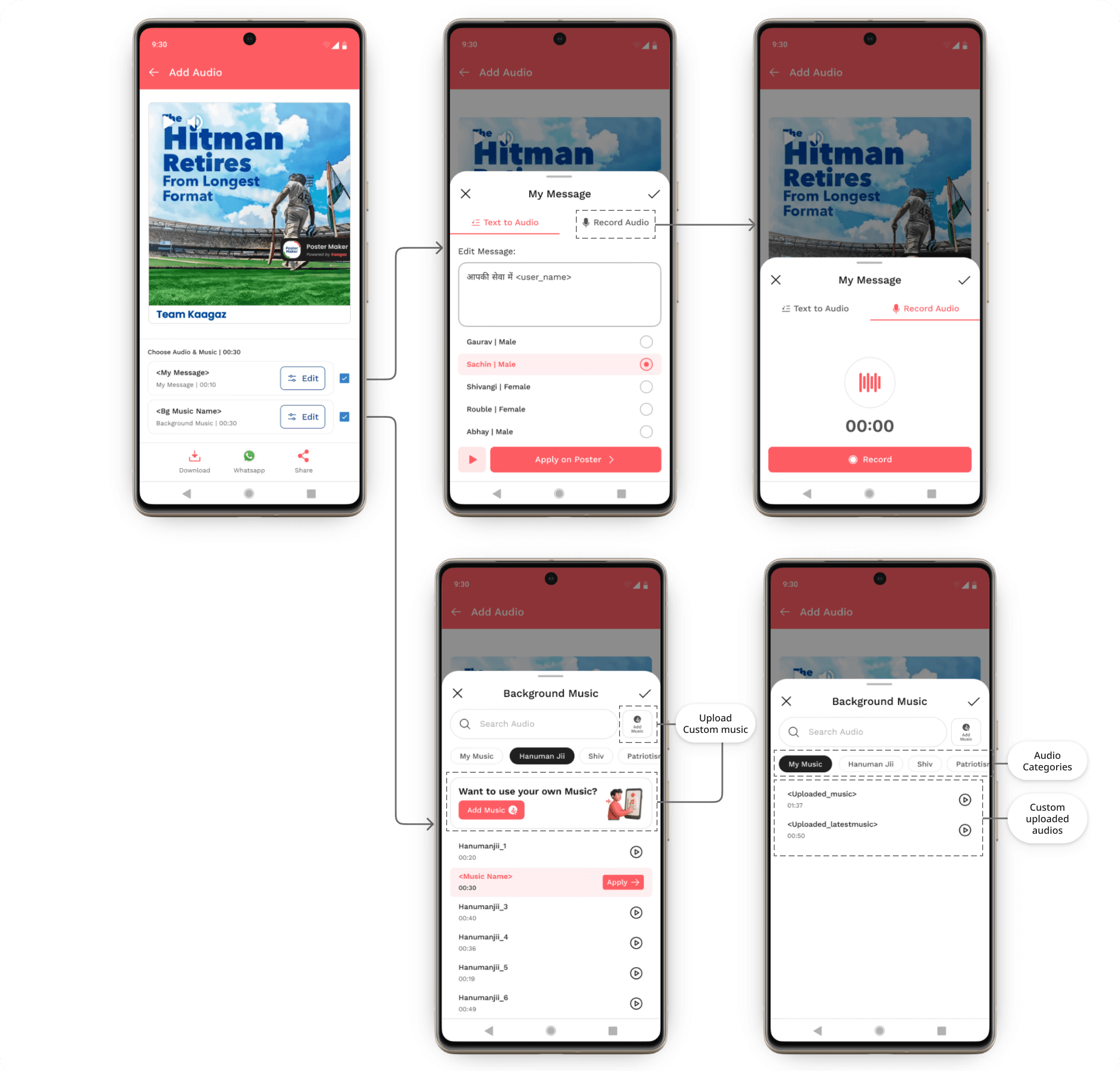
1. Background Music
Choose from in-app library
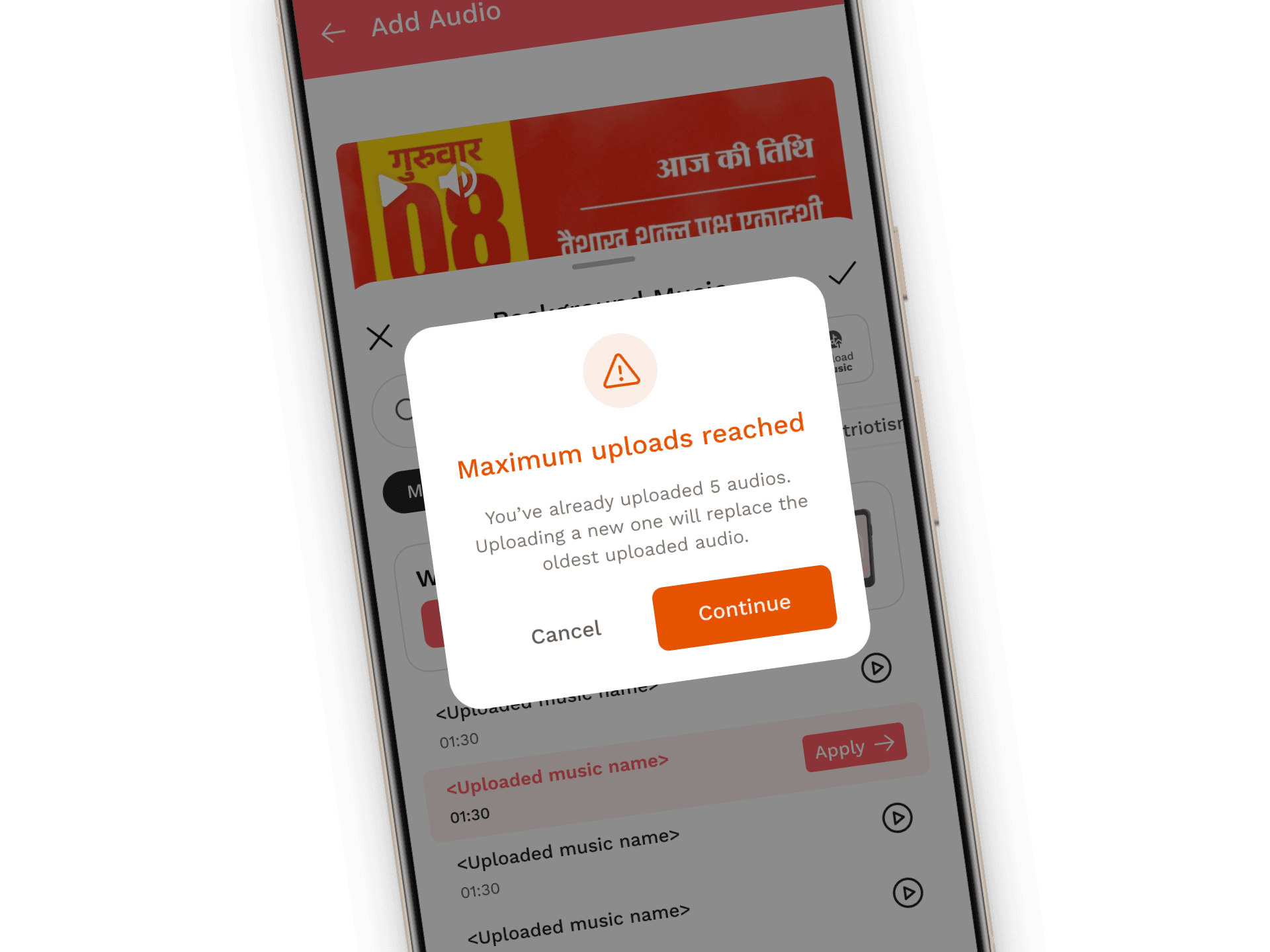
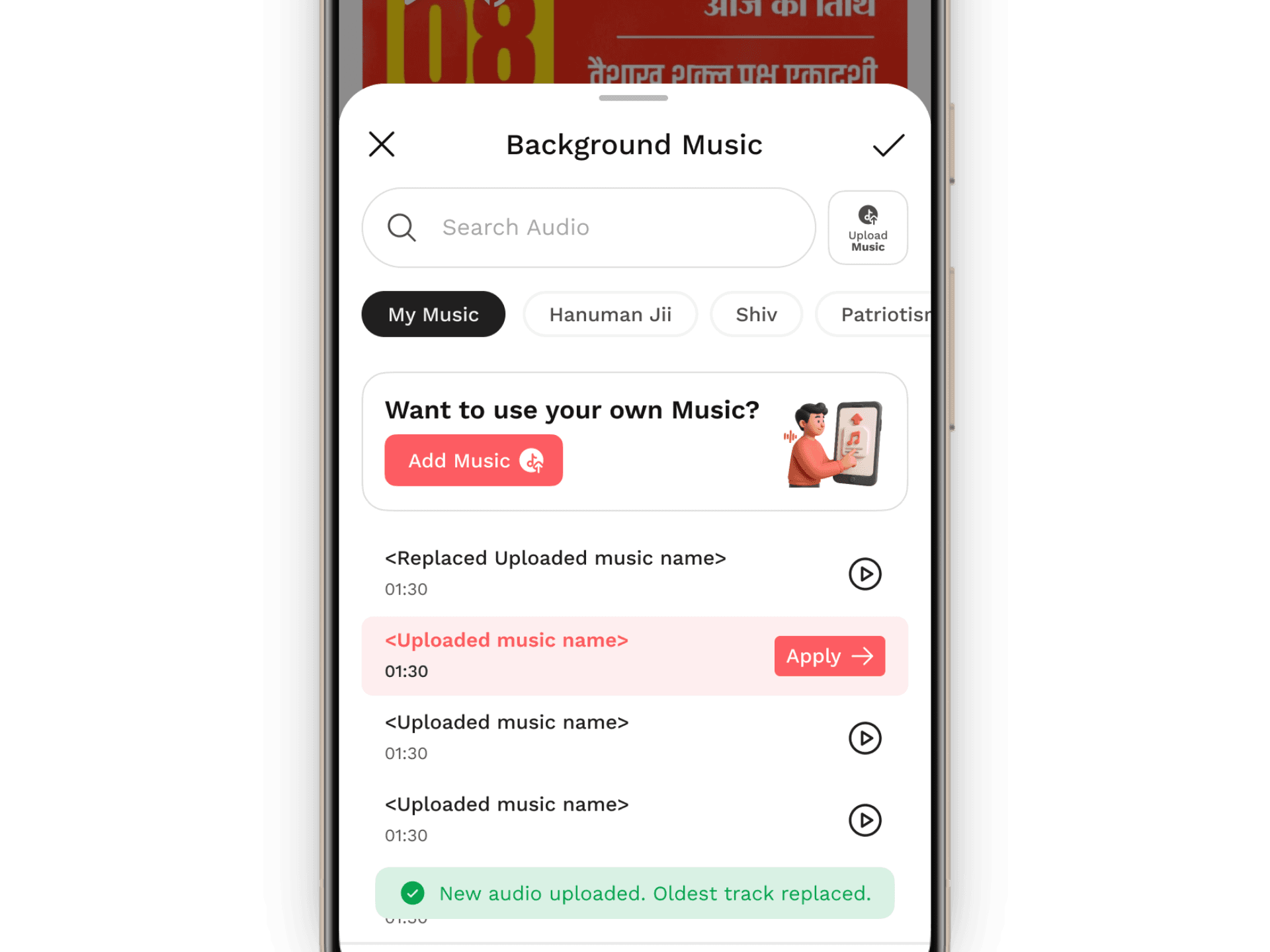
Or upload custom music
Works passively, no effort
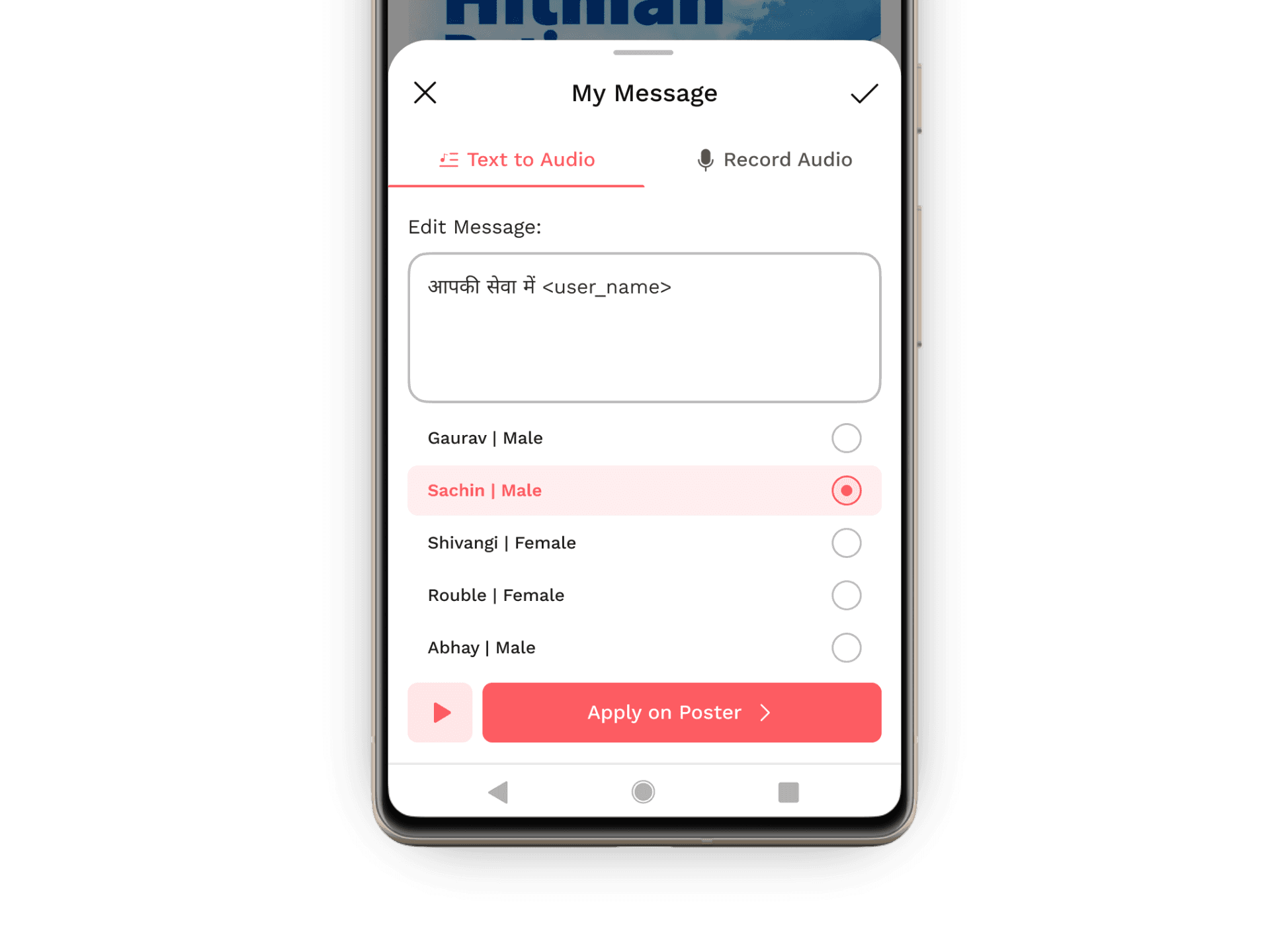
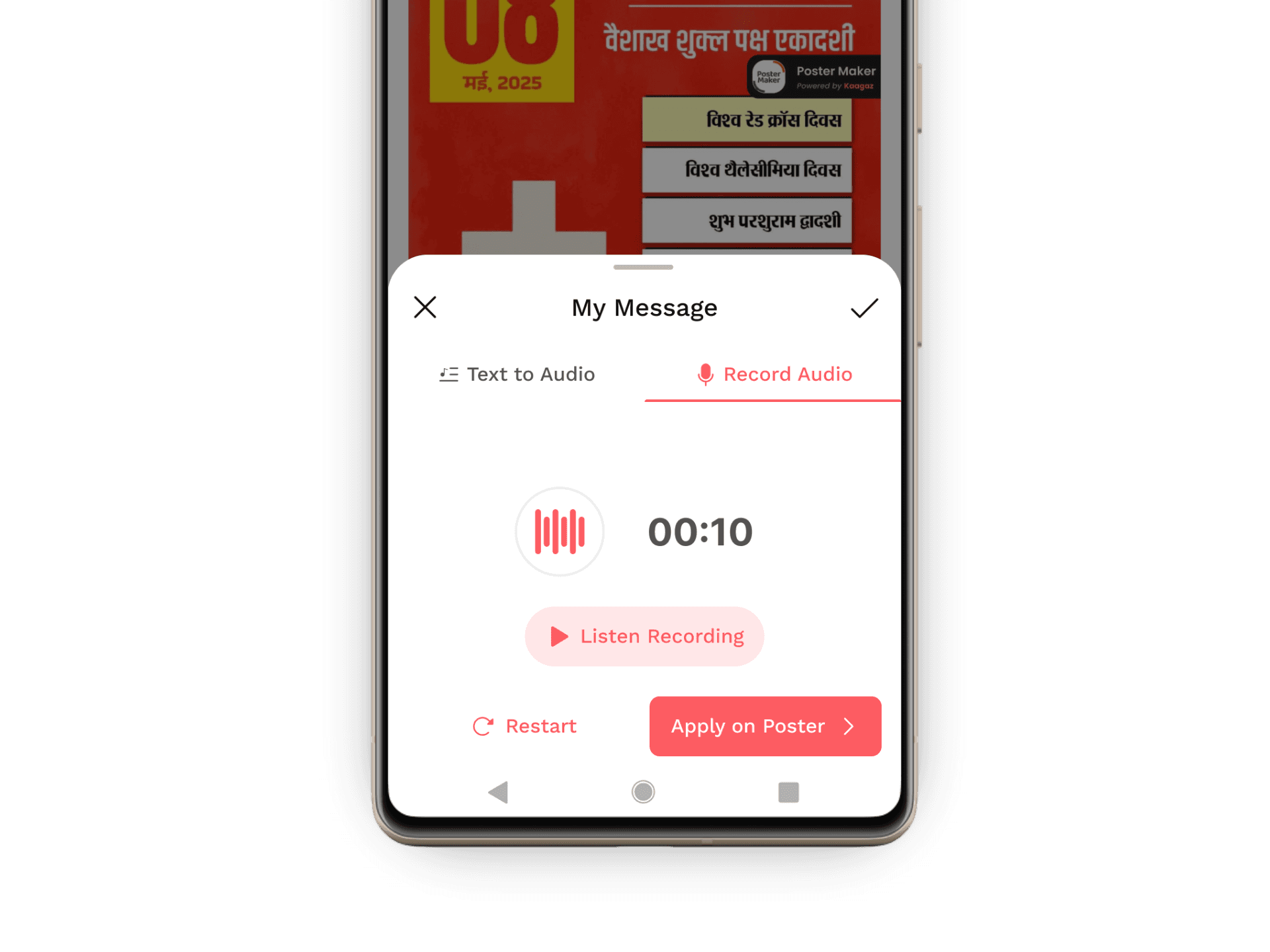
2. My Message (Voice / Text-to-Audio)
Text-to-speech for most users (default path)
Voice recording kept optional (secondary tab)
Default message provided to reduce hesitation
Multiple voices to experiment without pressure
This respected real user psychology:
Most people don’t like hearing their own voice
But they do want to promote their business
So we optimized for comfort, not capability.
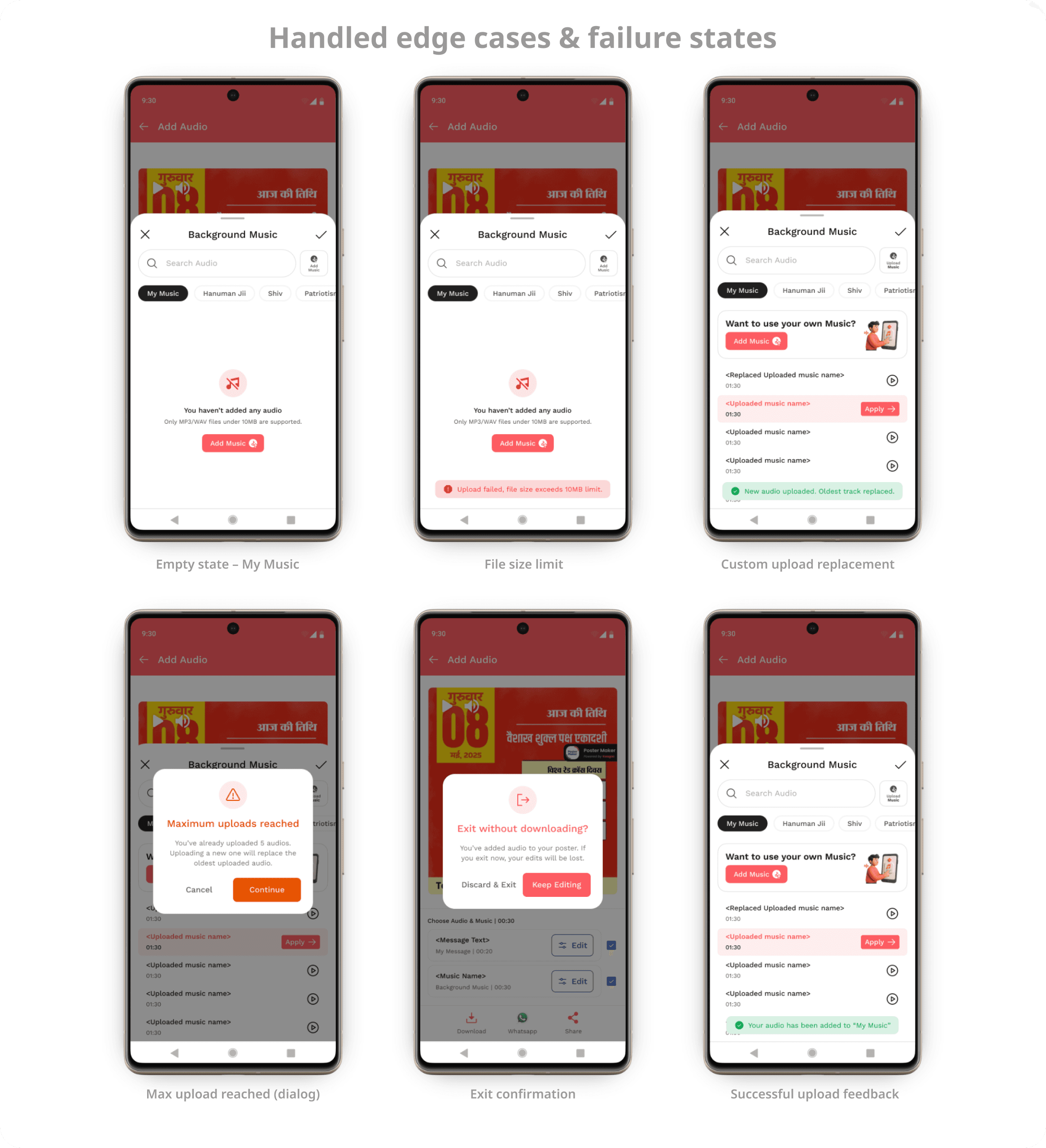
Intentional trade-offs we made
We prioritized text-to-audio over voice recording → Faster adoption, lower embarrassment barrierWe kept audio optional → Static posters still worked exactly as before
Once users were comfortable adding sound to static posters,
motion was no longer a foreign concept.That confidence created space for the next step:
visual motion through video effects.
Phase 2: Introducing Video Effects
After audio adoption stabilised, we introduced video effects as the next layer of motion.
The goal was simple: Add movement without adding effort
Users could:
Start from the same poster
Keep the same edit flow
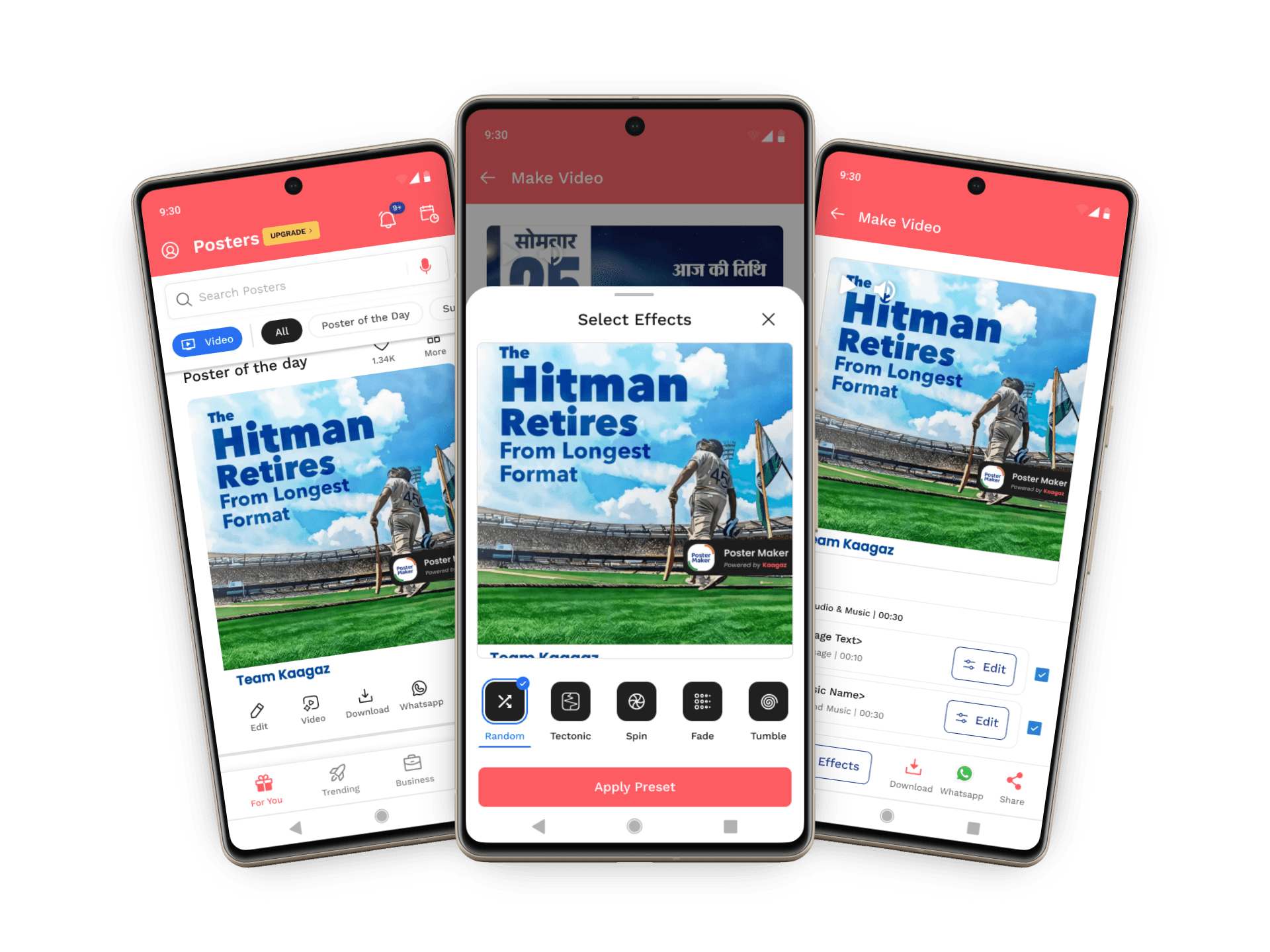
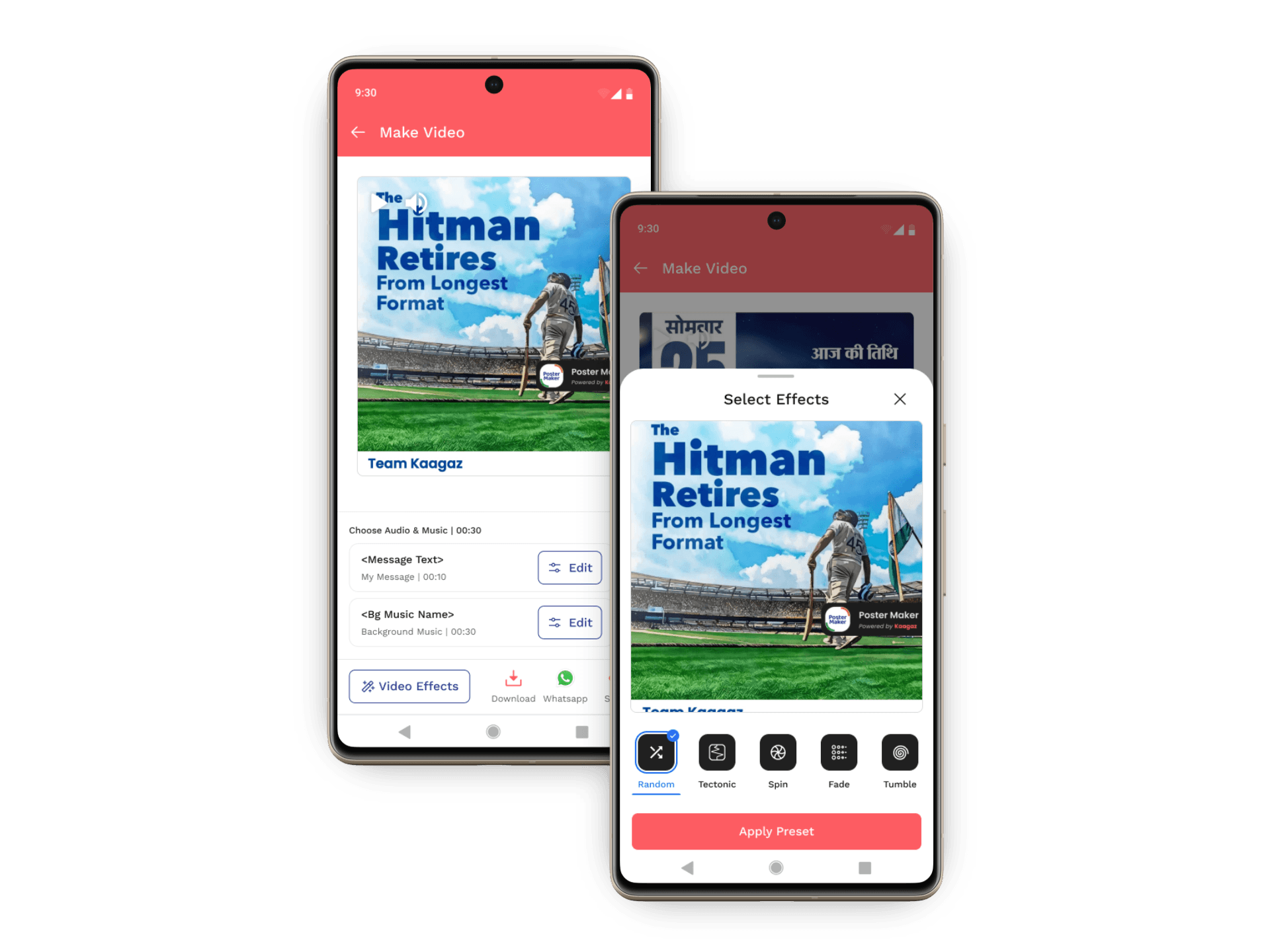
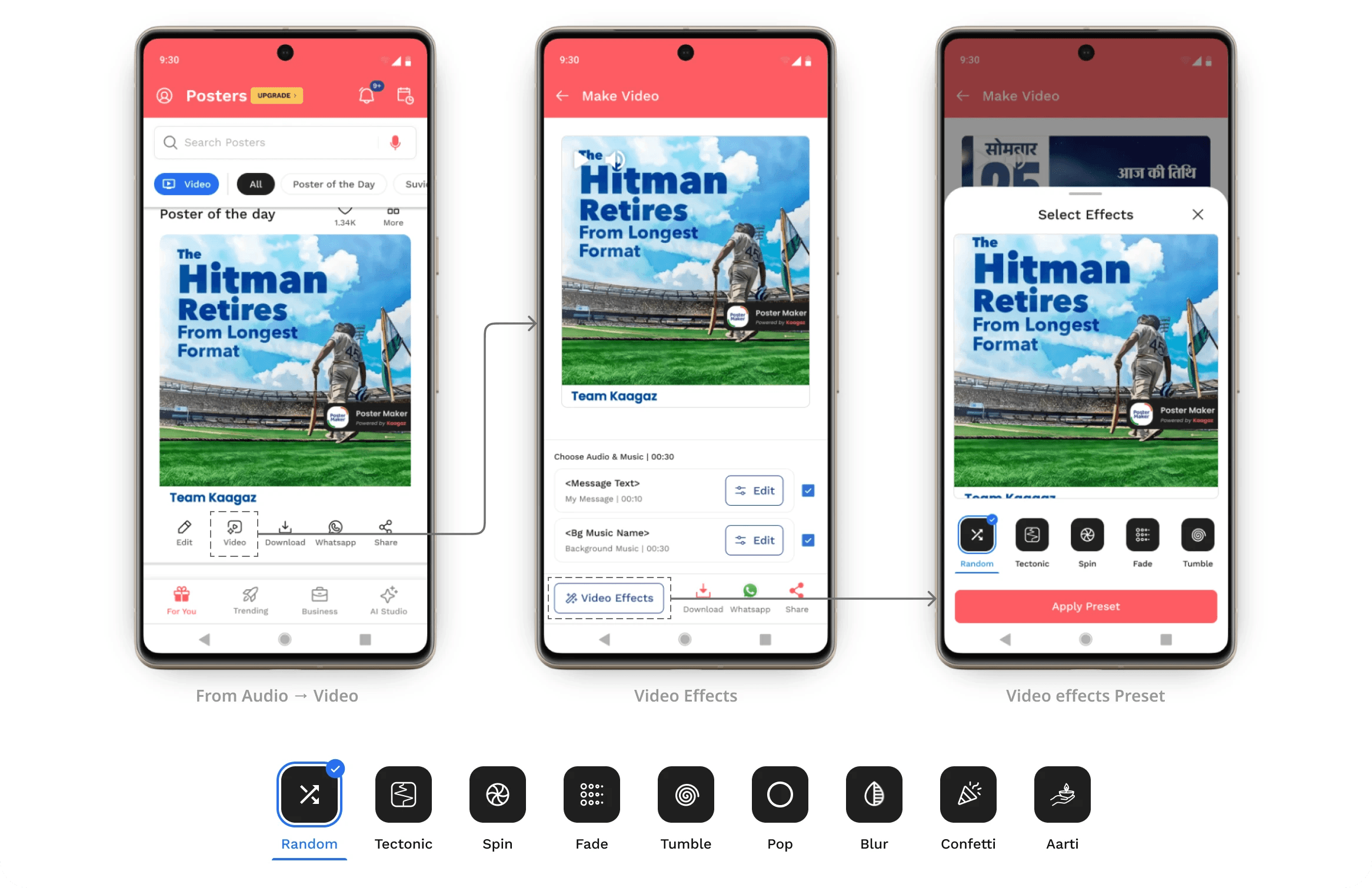
Apply motion using one tap
Export without configuring timelines, layers, or durations
No learning curve, No editing mindset.
Why presets, not timelines?
Instead of giving users control-heavy tools, we chose presets.
Reasoning:
Business users don’t want to design motion
They want something that “just works”
Presets remove decision fatigue
This is why:
Effects are previewable
Names are simple (Spin, Fade, Tumble, Confetti)
One primary CTA: Apply Preset
Speed > control
Design × Engineering: Building Video Effects as a Scalable System
As the scope of video effects grew, the challenge wasn’t just what motion to design but how to make it scalable and implementable.
Instead of treating each effect as a custom animation, we collaborated closely with engineering to design JSON-based motion effects presets
By collaborating with engineering early, I:
Designed effects that were lightweight and performant
Ensured consistent rendering across devices
Made the system extensible for future effects
Building Presets for Scale
To move fast without locking engineering into rigid implementations, I used LottieLabs as a motion playground
Effects were designed using image placeholders, with motion applied independently of real poster content. These animations were exported as JSONs that engineering could directly adapt.
The approach was deliberate:
Motion was designed independent of final images
Placeholders represented dynamic poster content
Engineering replaced placeholders with real image URLs from the backend
This separation allowed design and engineering to work in parallel, without blocking each other.
Designing Presets for Multiple Formats
Posters are shared across different platforms, so motion couldn’t be locked to a single size.
Effects were designed to scale naturally across 1:1, 4:5, and 9:16 formats, instead of creating separate animations for each.
While exporting from LottieLabs, animations were tested across formats to ensure motion stayed balanced and content never felt cropped or awkward.
This approach kept motion reusable, consistent, and future-ready as new formats were added.
How I used AI in this project
AI wasn’t the solution here. It was a supporting tool to move faster while keeping design decisions intentional.
I used AI to quickly explore motion directions and timing ideas before locking presets. This helped filter out effects that felt distracting or heavy, early in the process.
For video effects, I designed image-agnostic Lottie templates with placeholders. AI helped speed up experimentation, but the final motion logic, constraints, and structure were designed manually. Engineers later replaced placeholders with backend images, keeping the system scalable and easy to implement.
AI also helped in refining microcopy
Impact

1️⃣ Product impact (behavior-level)
Users gradually moved from static-only posters to posters enhanced with audio and video effects
The transition from music → video effects felt natural, not overwhelming
Posters started behaving more like video content, while keeping the same creation flow
Users explored effects without needing tutorials or guidance, validating the preset-based approach
2️⃣ Engagement & retention impact
Motion-enhanced posters encouraged repeat usage, especially for daily and promotional posts
Users spent more time previewing and experimenting before export
Video effects helped maintain engagement while video content supply continued to scale in parallel
This supported the broader shift toward a content-first app, without overloading users.
3️⃣ Business impact
Video effects became a strong premium trigger, as users could clearly see the value before downloading
The phased rollout reduced risk while still unlocking monetization opportunities
Effects helped balance demand between static posters and full video content, protecting both workflows
4️⃣ System & scalability impact
Motion effects evolved into a reusable, JSON-based system, not one-off animations
New effects could be added without redesigning user flows
Support for multiple formats (1:1, 4:5, 9:16) scaled without rework
Design and engineering could iterate independently, improving delivery speed
Learnings
● Users don’t want “video tools”, they want video impact
People weren’t asking to create videos. They wanted motion, attention, and better reach — without changing how they already worked.
● The smallest acceptable step matters more than the boldest feature
Starting with music before video effects reduced cognitive load and helped users accept motion instantly.
● Breaking problems into layers accelerates adoption
Separating motion into audio → effects made experimentation feel safe instead of overwhelming
● Scalability is a design decision, not just a technical one
Designing effects with placeholders and format flexibility upfront prevented rework later.
● Iteration revealed the real problem, not the first solution
Music MVP validated intent., Video effects solved scale, Each phase made the next decision clearer.
● Reducing system complexity unlocks scale
Instead of custom animations per poster, preset-based JSON effects made motion faster to build, easier to maintain, and predictable to ship for both design and engineering.